
Custom caller announcements allow you to greet your caller at the beginning of the call to provide a more personalised experience and also confirm to the caller that they have connected with your business.
Custom caller announcements can be selected at various points in a call sequence for each Call Flow and are typically positioned at the top of the flow.
- Log in to the Platform
- Go to Flow Designer and hit New Flow
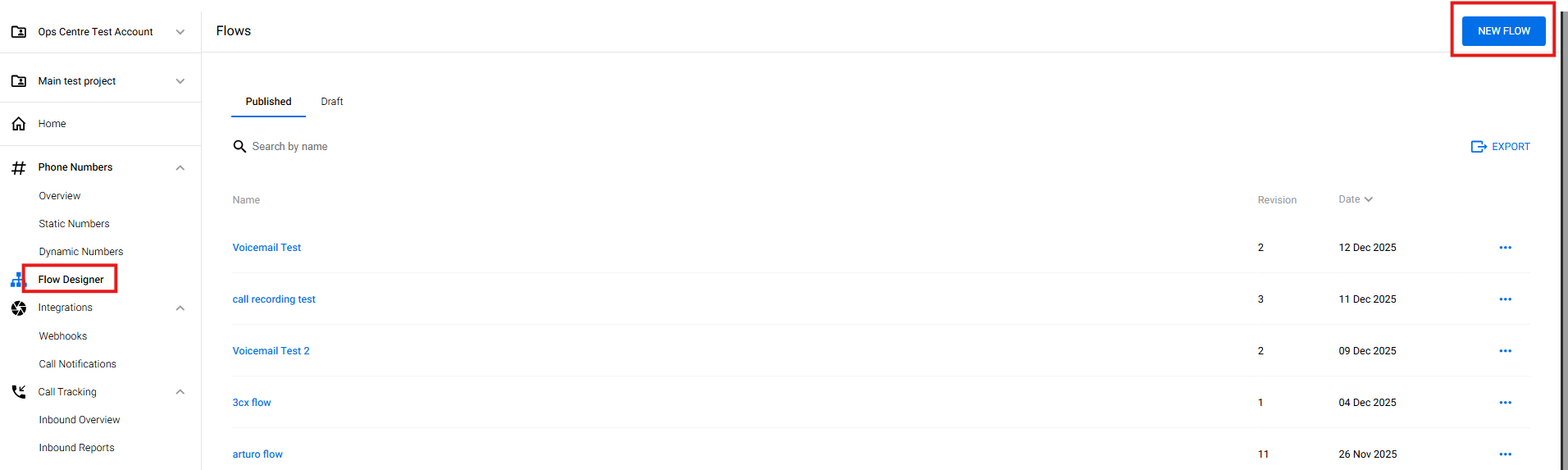
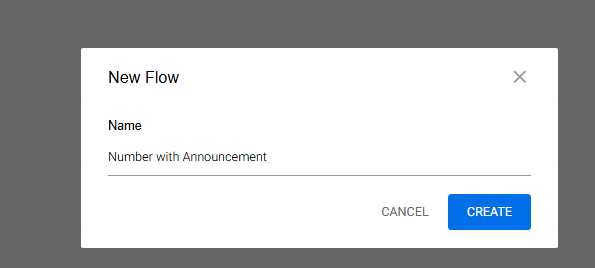
- Set your desired name of the flow and hit Create
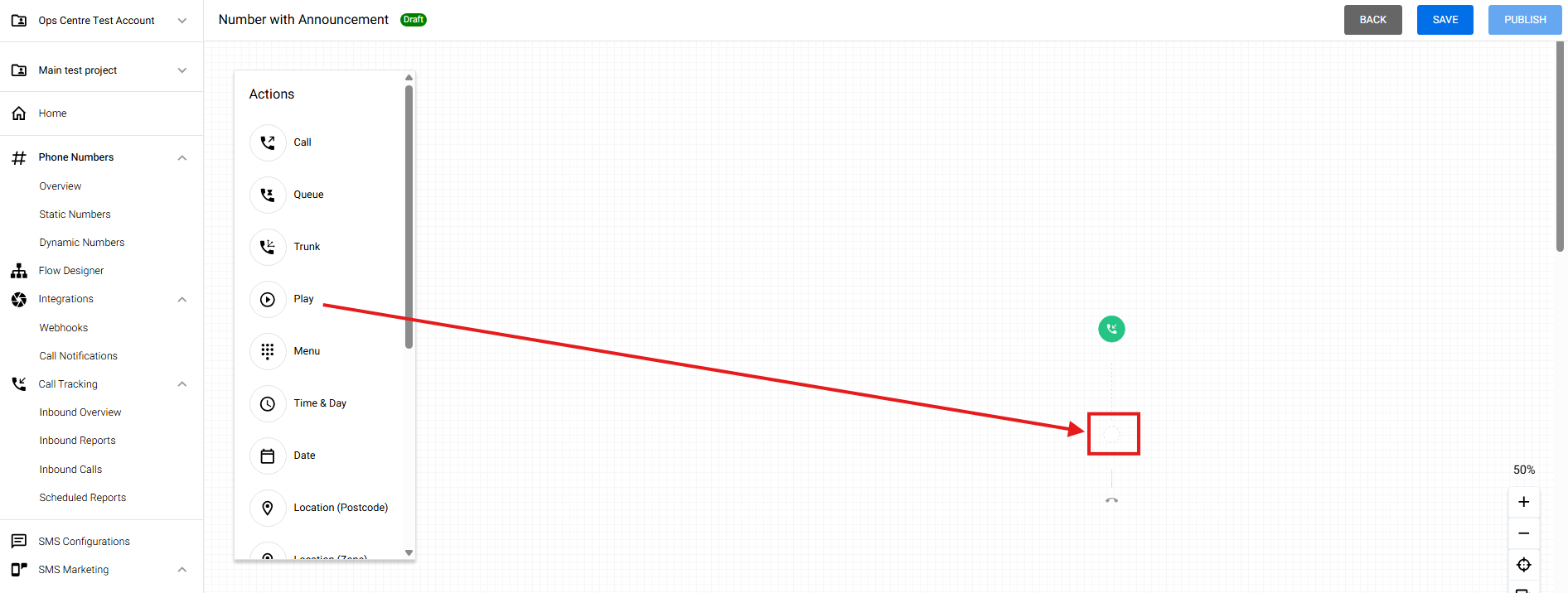
- Drag and Drop the Play node
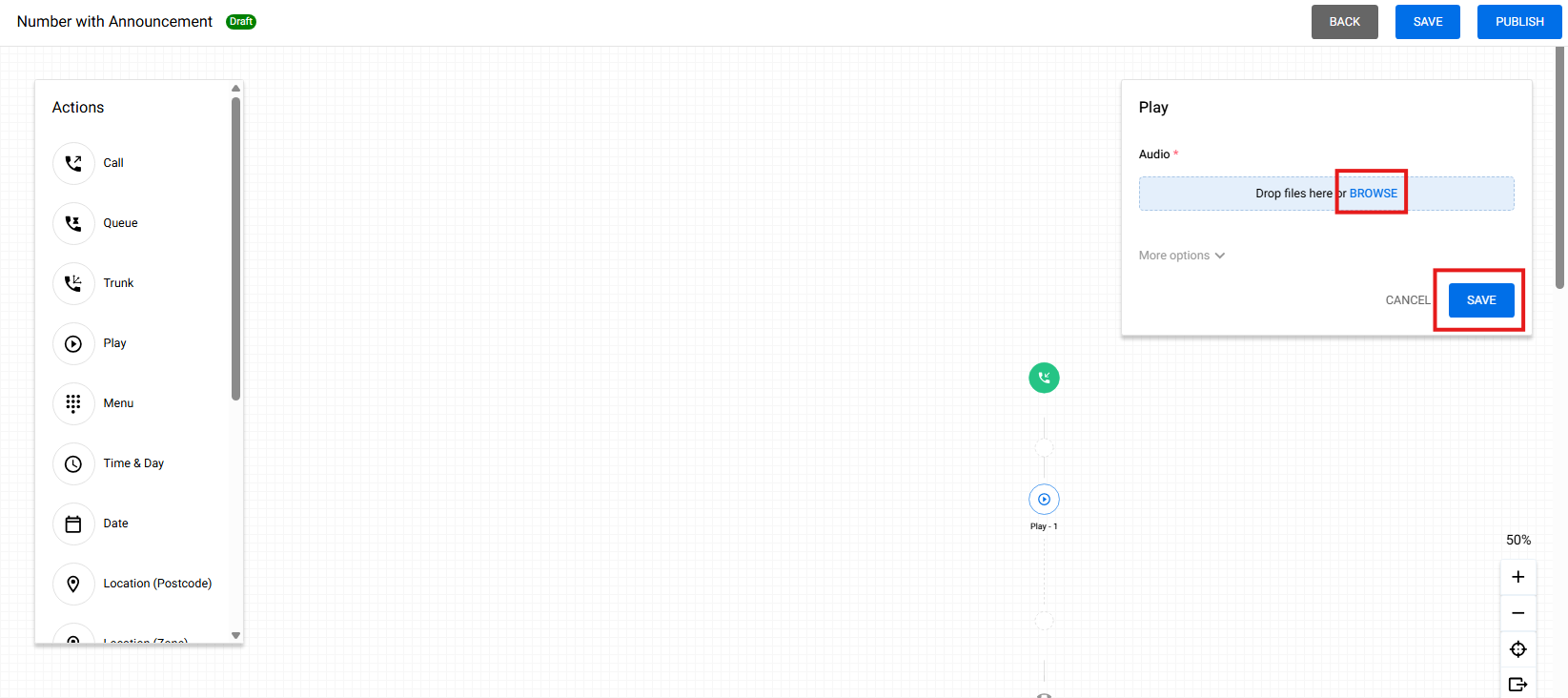
- Browse your audio WAV file and hit Save
- Then you may Drag and Drop the Call node for your Termination Point or Answering Point
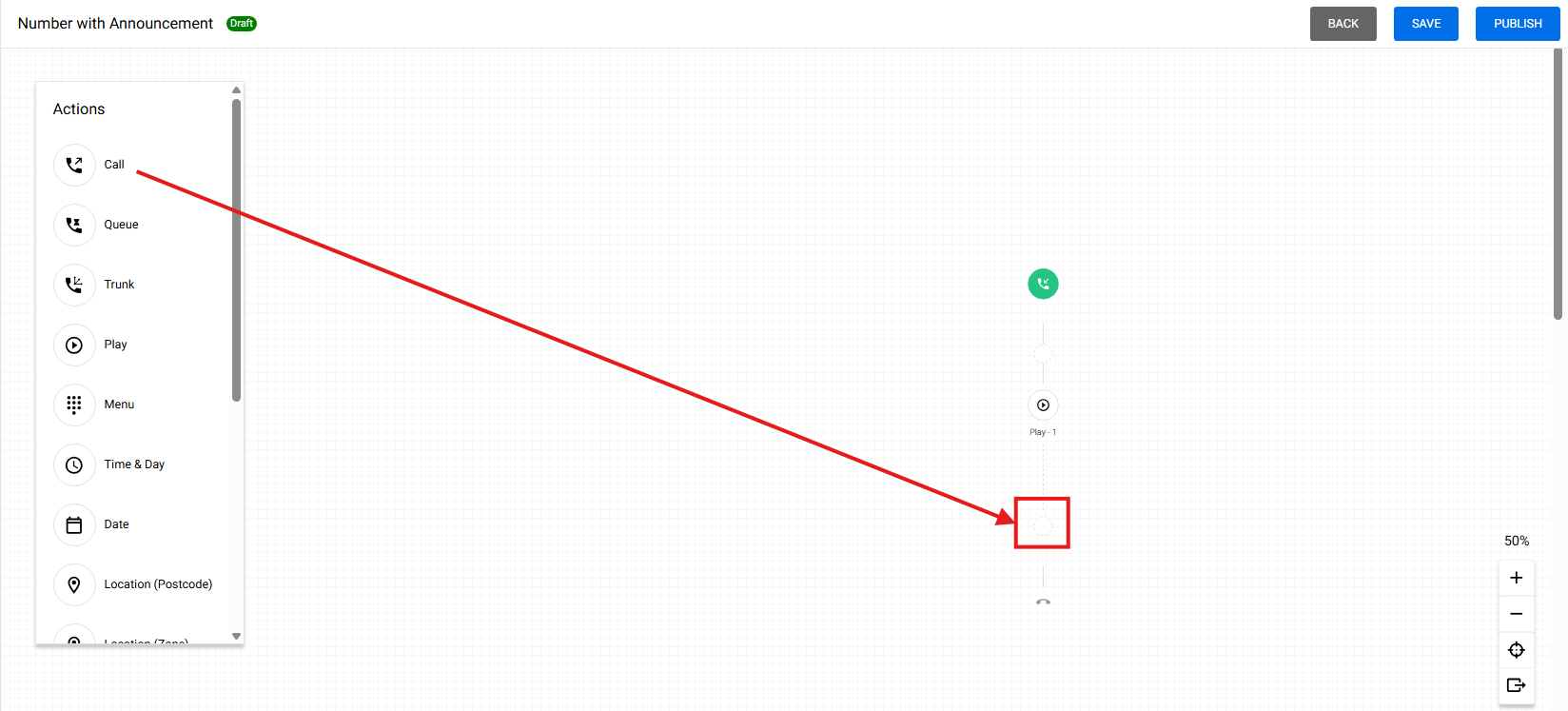
- Fill with the Answering point and hit Save.
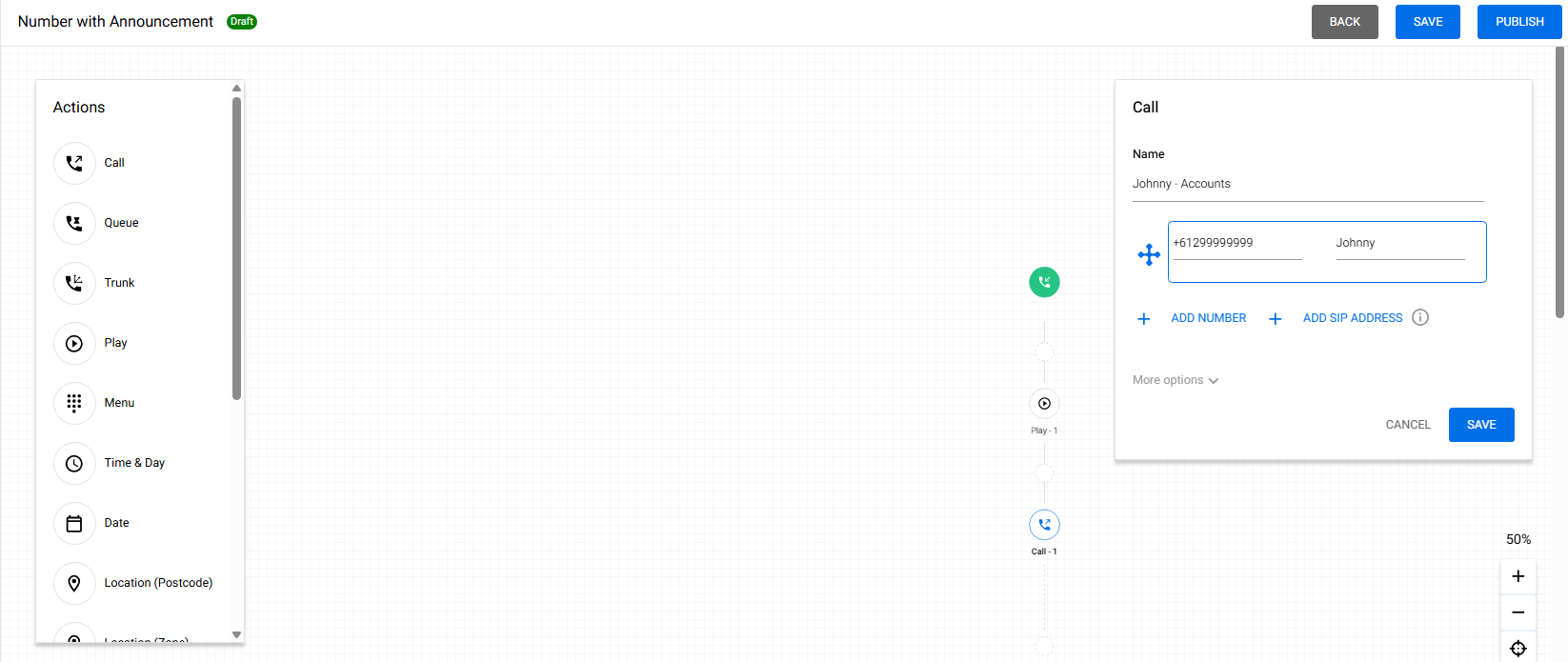
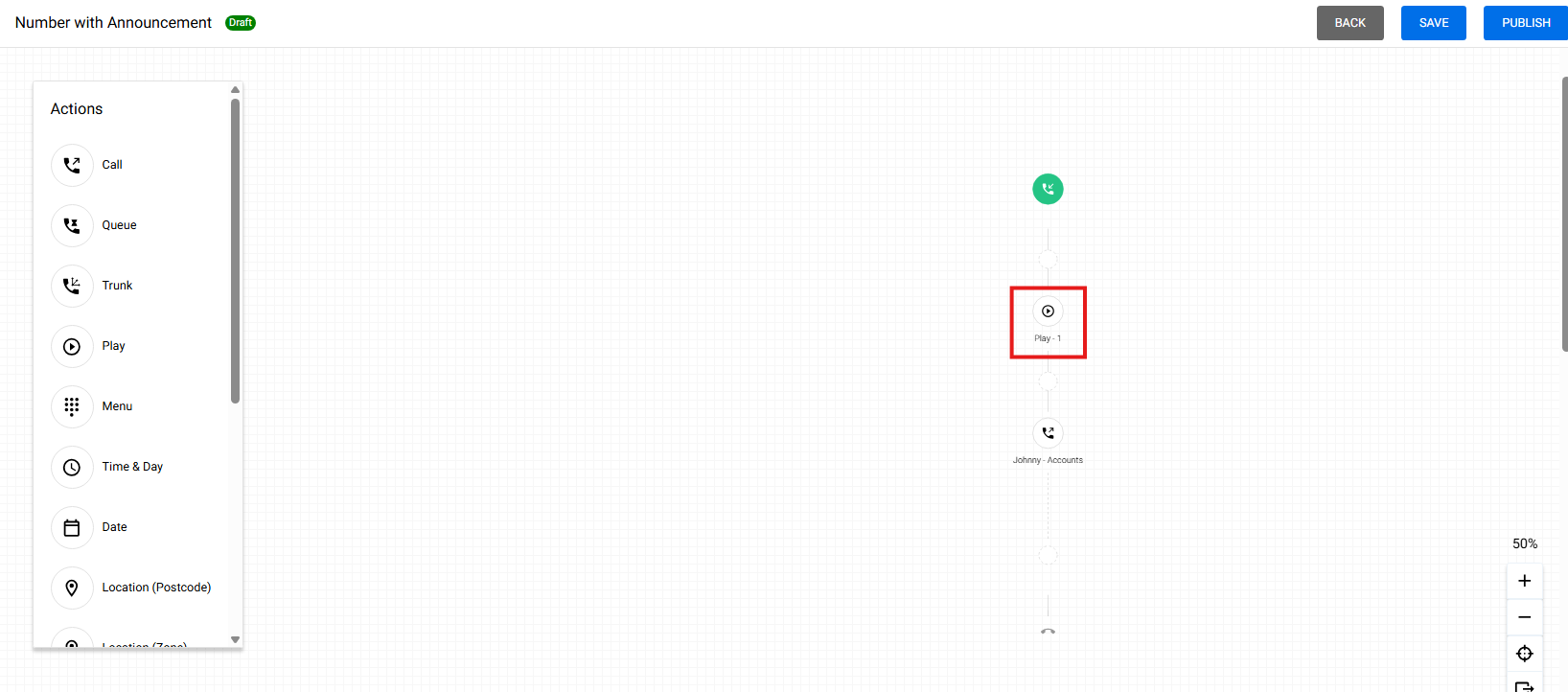
- As you can see, the Play node is on top of the Call Node. That means that the WAV audio file uploaded to the Play node will play during the call before it connects to the Answering Point or Termination Point
- Next is to Hit Save first, then Hit Publish
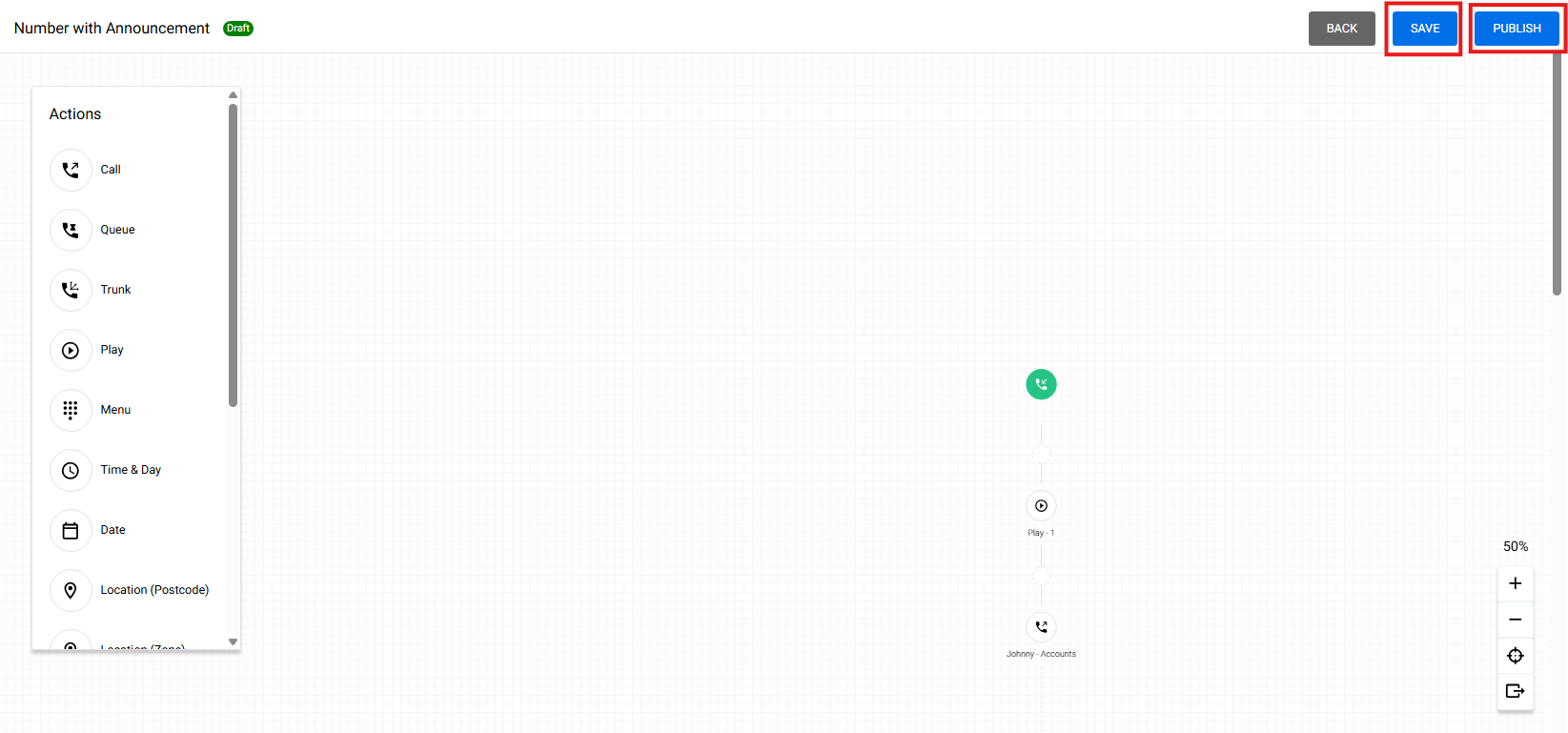
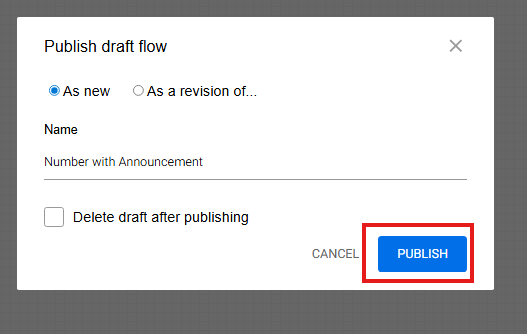
- Hit another Publish
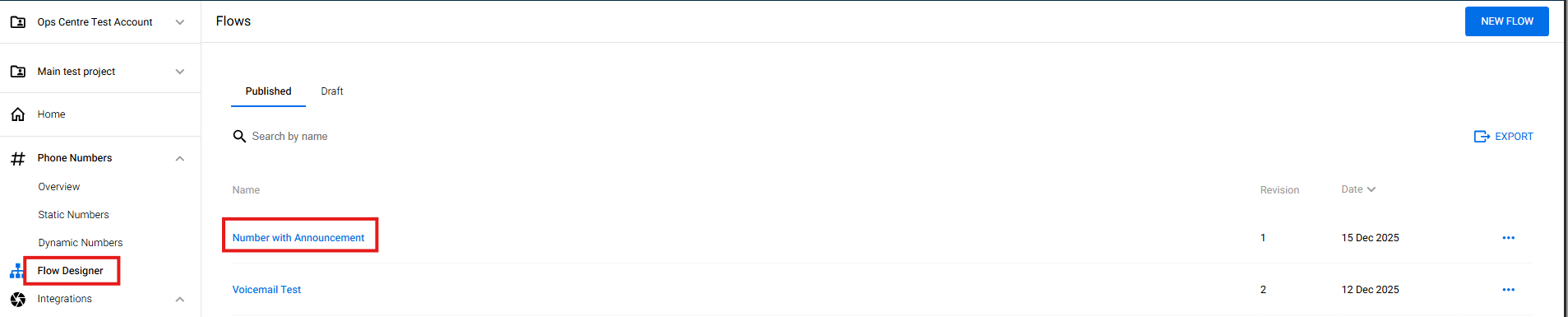
- Then you will see under the Flow Designer section that your call flow has been created
- To assign the call flow that you have just created, please refer to the "How to assign a call flow" guide.