Having the ability for agents to identify each call is critical when providing a personalised customer experience.
Agent Whispers provide important call information directly to the Agent just before the call is accepted and importantly, the Caller cannot hear an Agent Whisper.
Agent whispers are used to identify which tracking number has been called and the reason this number has been setup.
The following are examples of how agent whispers can be used in your business.
- Tracking number specific to a department or team; e.g. whisper advises agent of sales, support, billing or delivery enquiry
- Tracking number specific to customer membership groups; e.g. whisper advises agent of bronze, silver gold, platinum membership level caller
- Tracking number specific to a business when multiple businesses are supported by the same agents; e.g. whisper advises the agent of Business-A, Business-B or Business-C
A custom audio file must be created and then uploaded to the Call Flow for each agent whisper required. Agent whispers can be applied to each Call Flow.
- Log in to the Portal
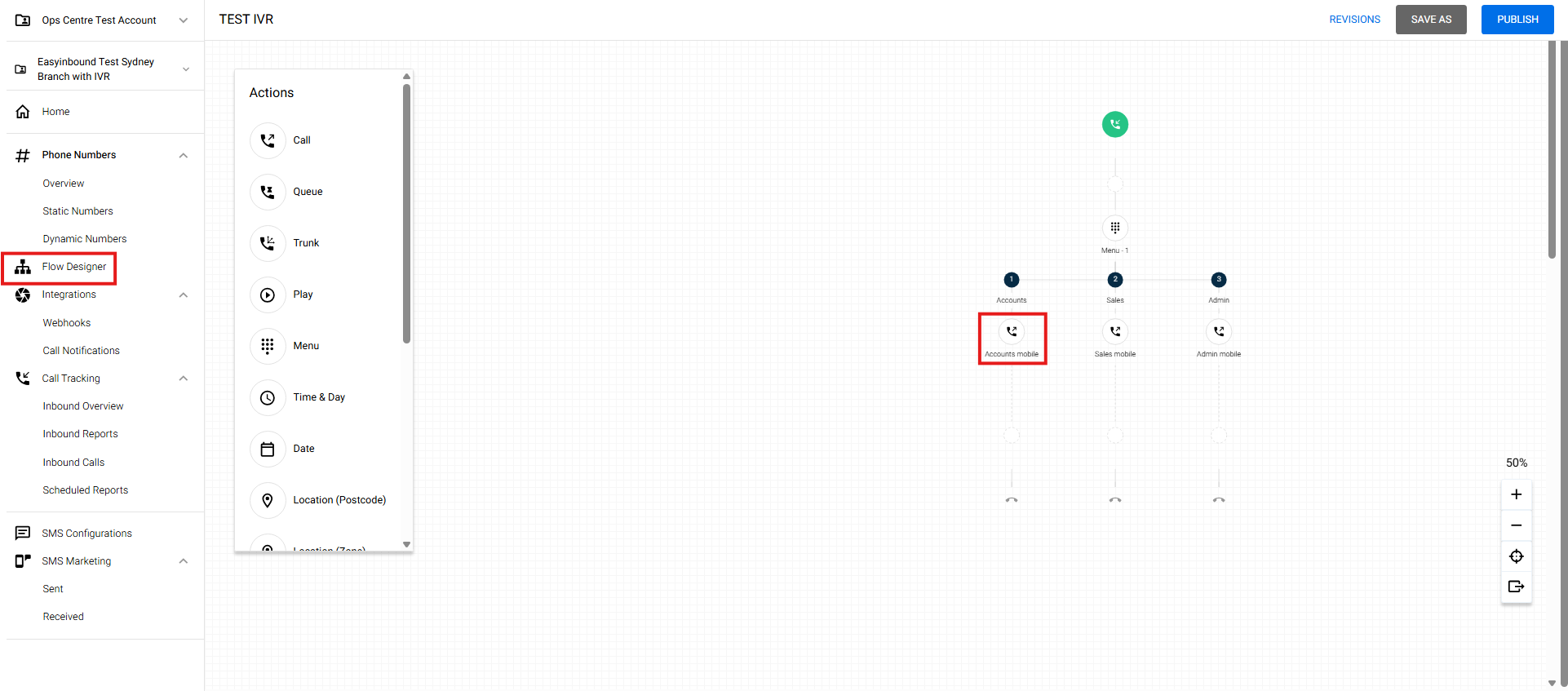
- Select Flow Designer and click the Call node
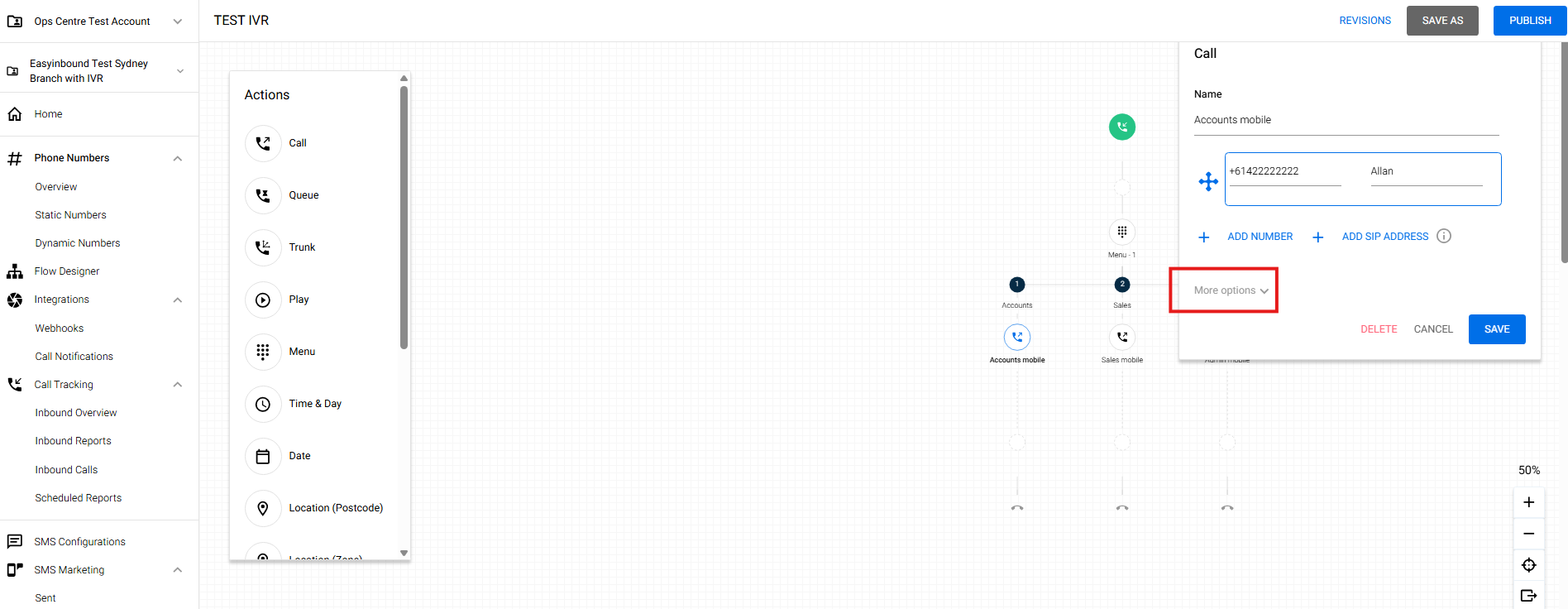
- Click More Options
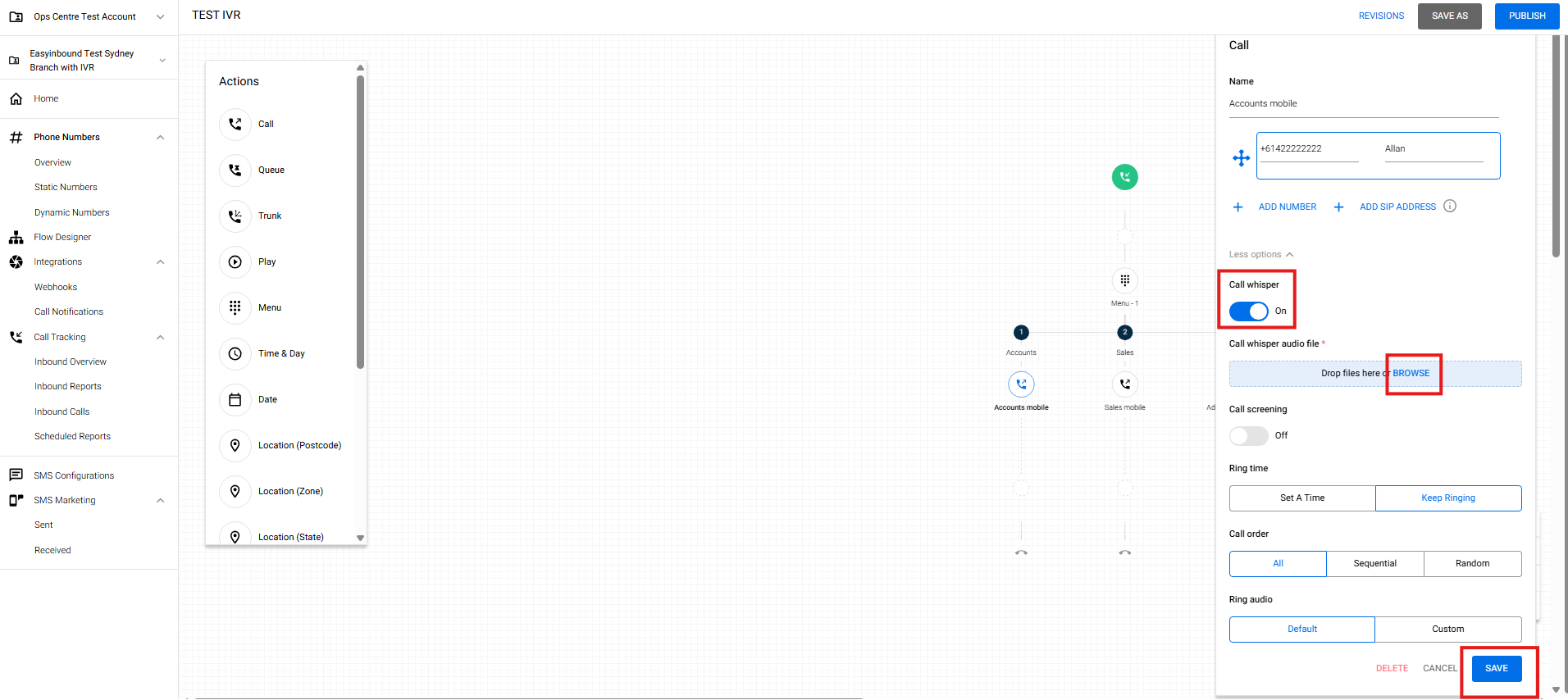
- Toggle the Call Whisper, browse your WAV audio file and hit SAVE