
A voicemail message is the last chance to retain your customer. Setting a custom voicemail message ensures that you provide the right information to the caller specific to your business or team.
A custom audio file must be created and then uploaded to the Platform. Make sure that the file is in WAV file.An email address must also be added to allow sending of the voicemail message directly to an agent or business team.
- Log in to the Portal
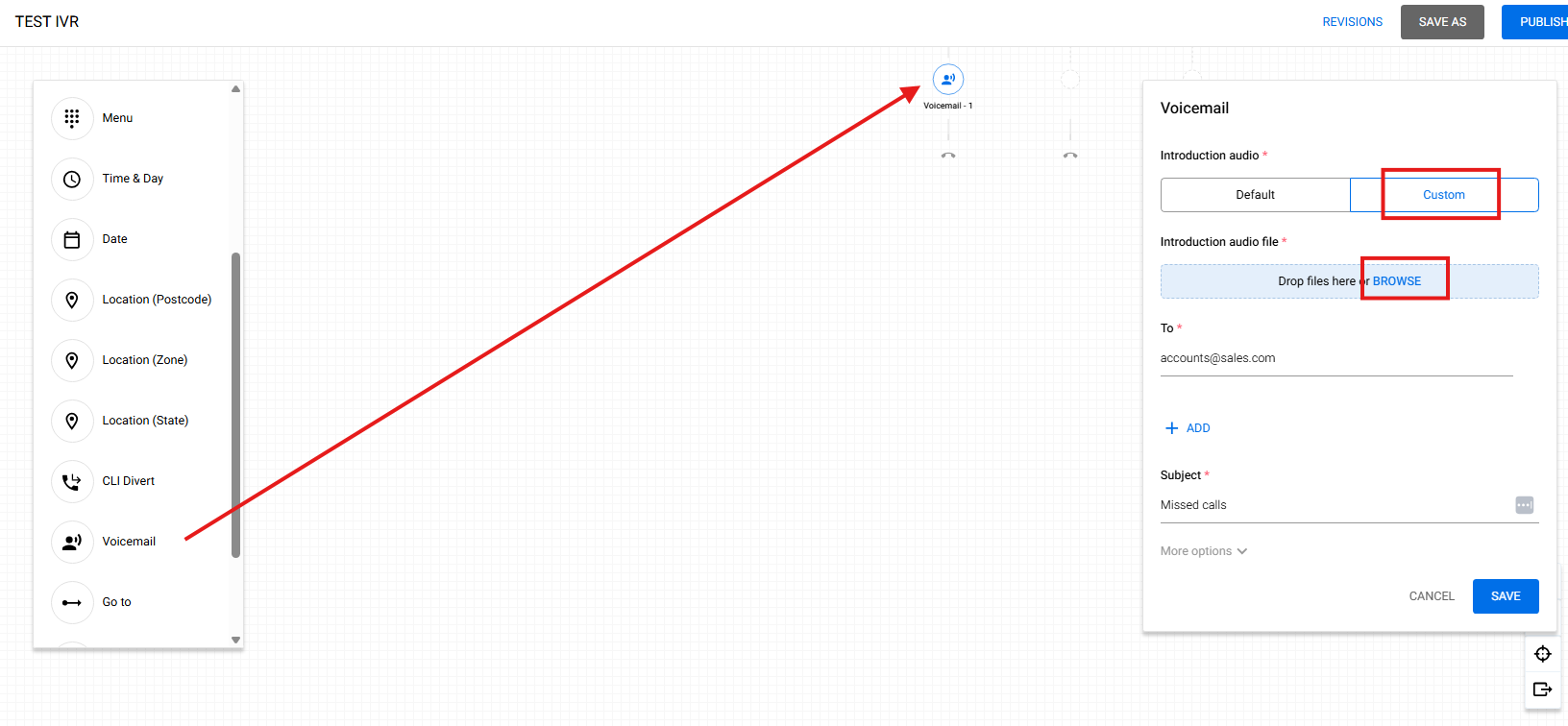
- After dragging the Voicemail node, select Custom and browse your WAV file, then hit SAVE
- To test the custom voicemail message has been applied correctly, call the Number linked to the Call Flow and wait until the call is routed to voicemail.